Continuity Editing – When Shots Don’t Match


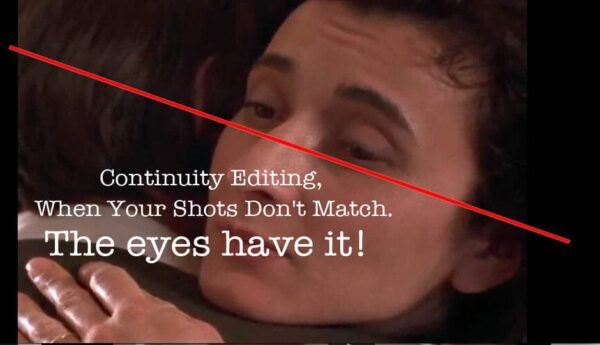
What could be a frightful continuity error for a newbie editor, is a fresh challenge for a pro editor to solve – “Focus on the eyes!”


Continuity & Rhythm in Editing

But sometimes the editor is handed a set of shots  – long, medium, close, cutaways, cut-ins, etc. They are meant to be cut together ‘seamlessly’; the action is supposed to match where one shot cuts to another as a continuity cut.

Below is a continuity editing example in a dance number between Sean Astin and Emily Hampshire. The scene is covered with several shot sizes of identical action. When edited, the action appears continuous as the shots intercut.

YouTube player

The most common mistakes have to do with continuity and rhythm, which both rely on the quality of the number of shots that cover a scene.


This article is a reformatted excerpt from “Scene Coverage” in Cyber Film School’s Multi-Touch Filmmaking Textbook


Solving Continuity Issues

During production, a few continuity details get missed while covering a scene – a cup in an actor’s left hand in one shot changes to her right hand in the next. The clothing does not match as we cut from one shot to the next.

Screen direction problems show up where an actor or camera has crossed the axis, so when the shots cut together actors suddenly face the wrong direction. See our article on maintaining Screen Direction issues here.

New editors often fret over these flubs, but what is a continuity error to a newbie is a challenge that seasoned pros look forward to solving. Their solution is to focus on performance and eye lines and performance

In the following example, we forced the cut without strict continuity on the action.  However, the eye line is consistent and we follow the flow of the story through the actors’ connection.

YouTube player

Now replay the above and examine the woman’s hands. Notice that in each cut, they do not match the action.

Even when they embrace, we jump forward in time. We don’t notice the mismatched action because the editor draws us to the performance. We are caught up in the scene’s rhythm.

“Dede” Allen was one of cinema’s all-time celebrated ‘auteur’ film editors, and the very first editor to be awarded a single-card head credit as Editor, which is now commonplace. She’s known for The Hustler (1961), Bonnie and Clyde (1967), Dog Day Afternoon (1975), and Reds (1982). She was also known as Hollywood’s ‘go-to’ film doctor to fix problems in major studio films.

To solve continuity issues between shots, Dede advises to ‘cut’ with the performance, with the eyes.

YouTube player

Importance of Rhythm

Continuity in a film is not the only consideration when editing a scene. Although rhythm in editing is less about movie continuity, it is more related to continuity in terms of conveying ‘subtext’. Let’s explore subtext.

Picture this: an editor cuts a scene following the script exactly as written. His cuts are smooth and perfect. The director screens it, then yells to the editor, “You missed the whole point!” Much like cracking a good joke, telling a story is all in the timing or rhythm, which may not be evident on the script page.

The editor in this scenario mistook pauses in the performance as “dead space.” Editors must screen everything and know the story and director’s intent in order to spot the subtext and cut accordingly. The subtext is what the character thinks or believes. It’s often found in silent pauses, over which the editor has full control.

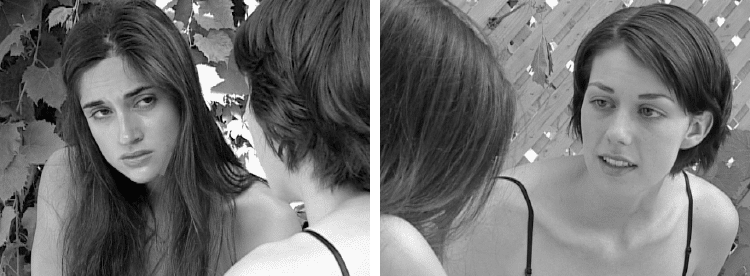
In the back-to-back clips below, spot the truth and the lie in this dialogue: One dialogue scene is cut two different ways – same setup, same script, same dialogue. The first cut sounds like a straight-up explanation. The second cut lets us read the behavior of the players and what they are saying to each other.

YouTube player

<< BACK TO: Three Pitfalls of the Editor

Six Transition Points For Seamless Edits

Plan Your Transitions: To really refine your visualization of a scene, have an idea of how the shots are going to cut together; where one shot may and where the next may begin. Here are six ways to make ‘seamless’ continuity edits.

As you plan your shot list for scene coverage, also visualize the transition points (cutting points) between the shots. This practice gives the editor enough material to create ‘invisible cuts’, or ‘continuity cuts’.

By Glen Berry, Edited by Stavros C. Stavrides


Plan Your Transitions

First let’s clarify what we mean by “Transition” for the purpose of this article.

A common reference to a film transition is the visual style of the transition between shots, such as fades or dissolves. Alternatively, a transition between scenes with starkly contrasting shots.

In this post, “transition” refers simply to a cutting point between shots within a scene.

We should not just plan how we will execute a shot during production, but how each shot might cut to the next during the picture edit. For refined visualization of a scene, we must have an idea of how the shots are going to cut together; where one shot ends and the next one begins.

Even if we do not know the exact moment for the perfect transition, we should have a general idea of where the editor will have at least a few choices on how the shots may cut together.

We looked at ways to cover a scene in Building Your Shot List. Now let’s think about how those shots may cut together.


This post is a support article for the chapter “Five Phases of Film Production” in
Cyber Film School’s Multi-Touch Filmmaking Textbook.
Version 2.0 now available at Apple Books.


To make a ‘continuity cut’ between two shots, the editor wants that cut ‘invisible’. The transition should not attention to itself, so the technique makes the transition unnoticeable, or ‘seamless.’

The role of the editor is to get an emotional impression of the material, read the director’s intent, and deliver the story in a seamless sequence of shots.  

It’s the director’s job to deliver the editor matching action in different shot sizes and angles, but also with an idea of how those shots will transition from one to the other.  

If you follow a few theoretical rules below and take some care with our shooting style, you’re a hero in the eyes of the editor by offering him or her enough room to maneuver.

Such foresight also lightens the burden on the production side. You’ll be a hero to the producer as well.

Our related article “Scene Coverage: You Can’t Film It All” explores the balance between Scene Coverage and available resource, you will see how important the planning of your transitions plays a part in the impact on time and money.

Six Common Transition Points

We established that the editor has a number of common conditions where he or she can make seamless edits if the director delivers sufficient coverage with a well-thought-out plan on how the shots will cut.

In theory, ideal transitions can be placed on a hierarchy of six of these common conditions shown below.

 At the top of this hierarchy, we start with the easiest type of transition for seamless, invisible edits.  As we move down the list, the conditions will still work to make an edit but require a bit more maneuvering.

1.  Moving Camera

A camera in motion always cuts.  The viewer’s eye tracks motion, so when the entire frame is in motion, the audience will accept the cut if it goes to another moving camera shot.  If as a director you want to end a moving camera sequence, stop the movement of the camera at some point within the last shot of the sequence.

2. Moving Subject

If the eye is tracking a moving subject such as an actor or vehicle, it makes a smoother cut, even if the shot itself is static. This is useful for cutting into or out of a shot.

3. The Eye Line

Natural human curiosity begs for a cut when the actor changes their eye line to something offscreen.

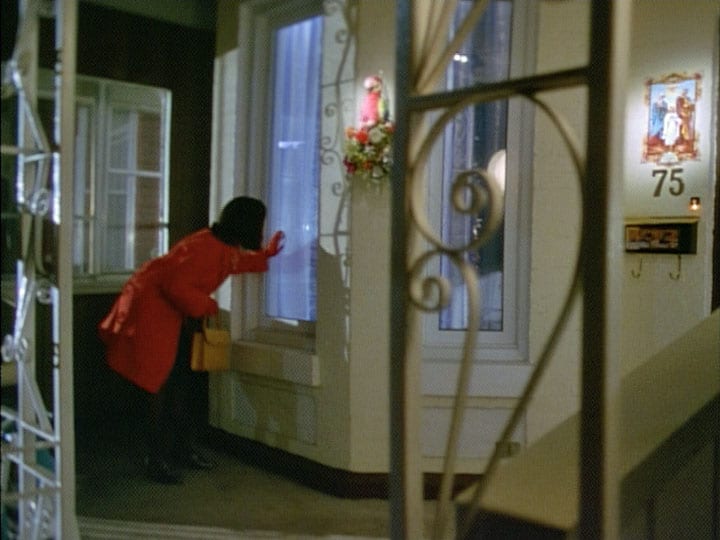
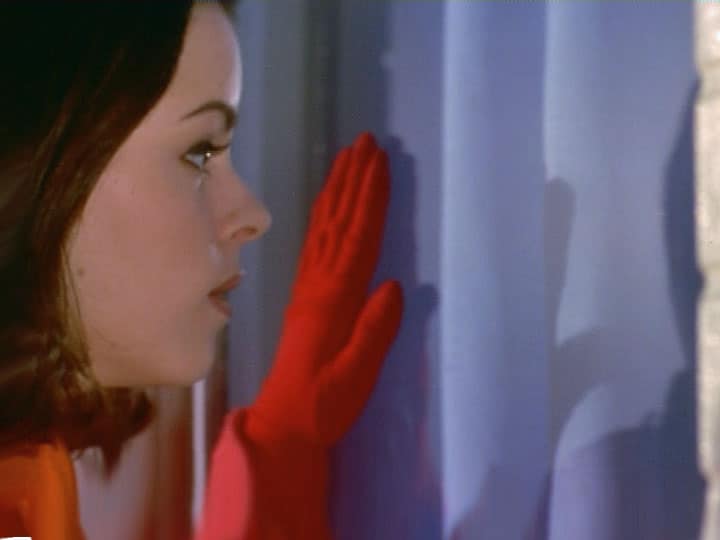
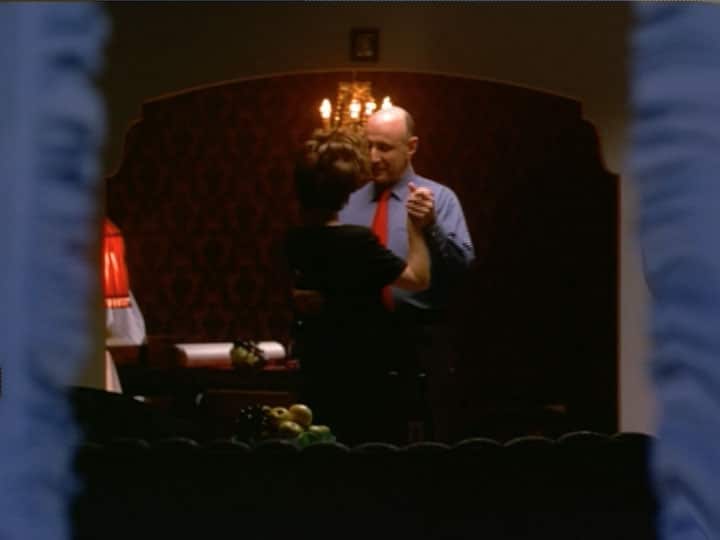
Let’s establish the geography above: A porch with a window that looks into a space screen right. A woman looks through the window screen right. Her POV (Point of View) shot of the inside naturally follows our expectations.

Another example: A diner with a bar at the center, and a door to the right of the bar.  Our subject at the bar, in a medium shot, turns their head to look off-screen to the right. Having already established the layout in the establishing shot, our audience will naturally expect to see the door in the next shot.  

It’s a psychological trick: curiosity begs for the edit, and reasonably expects to see something of interest at the door. This is a very effective technique.

4. Matching Action

A change in perspective is always accepted if you provide continuity of motion.  Find the same action on two shots and join them where the action matches and you will find a fluid transition.  

If the subject swings the other in a close shot, it is natural to cut to a wider shot to reveal the expanse of their movement, then back in for an emotional ‘punch’.  

5. Reverse Angles

A view of the subject from one direction cuts well with a view from the opposite angle.  

Your first camera position is on Subject A in the foreground OTS (Over-The-Shoulder) of Subject B in a medium shot, offset by 30 degrees from the eye line between the two subjects, your reverse angle is on the opposite side with Subject B in the foreground and Subject A in a medium shot, offset 30 degrees.

6. Logic Cut

If in one shot an actor is picking up a set of keys, showing the actor driving a car in the next shot will provide a logical connection between the two events. It’s not a direct match cut in action, but rather what makes it work is our natural human tendency to seek rational sense out of a series of images.  

If you provide the viewer with a logical progression of events, the mind will naturally work to connect the events together into a narrative.

Conclusion

Please keep in mind that many of these conditions can be combined together to make an invisible edit and, in fact, the more of them you can utilize to make your edit, the better off you are.  

If you shoot with sufficient contrast between shots, utilize angle and reverse angle and cover all the action in the scene from at least two angles, your scene will cut together.  At the very least, you will have angle/reverse angle and contrast edits.  You should also have matching action if your actors do not have excessive performance variation.

However, the director is strongly advised to look for more well-defined ideas of how to make the edits work.  There’s no reason why a director can’t plan the start and end of shots around a look, a matching action, and the movement of actors in the scene.  

This is where the blocking of action in the scene can really play into the visualization of the director.  As the director sees the actual physical movement of the actors in the space, they can begin to plan the transitions around their actions and performance.

<< PREVIOUS
“Scene Coverage: You Can’t Film It All


1. The Editor’s Role

The film editor is certainly the main player in bringing the film project together in post-production, a key creative key position that influences the director with a fresh set of eyes.

By Glen Berry
Edited by Stavros C. Stavrides


IMPORTANT CONCEPTS

The film editor is not alone in post-production; it takes a team
The editor is a key creative player
The director must allow the editor to influence the work

It Takes A Team

When principal photography is finished and production is complete (getting the project ‘in the can’)we begin the fourth phase of our process, post-production (or simply, “Post”).


Having worked on many post-production projects over the years, one of the most critical misunderstandings about post-production is that the only role in post-production is the editor.

Although the editor is certainly the main player in bringing the project together in post-production, this phase requires an entire team of people with very different specialized skills.

Editors are often asked to be a one-person army in post-production. While it’s true that the editor must bridge the gap between many different aspects of post-production; it is unrealistic and unwise to expect the editor to take the raw materials from production and deliver a finished product on their own.

This happens when producers do not fully understand the post-production workflow or, quite commonly, the project has overspent in production and does not have sufficient resources for post-production.

As the editor, you may end up taking on multiple roles in post-production.


Our next article, “POST-PRODUCTION WORKFLOW” examines the workflow and roles through post-production; ingesting, rough cut, fine cut, titling, picture lock, and soundtrack. Even if you work on low-budget projects at least you will know the jobs that need doing.


Editor Is The Main Player

As mentioned above, the editor is the first and main player in post-production. The editor’s job is to organize and prepare the raw materials from production, assemble a rough cut, incorporate requested changes and deliver a final version of the edited picture and dialogue.

That is a technical description of the editor’s job; we will delve into exactly how the editor goes about these tasks later in Editing the Narrative Short. Please note that the editor is not responsible for titling, sound design, music, color correction or visual effects.

The Editor/Director Relationship

The role of the director in post-production is often misunderstood. Many directors want to sit over the shoulder of the editor and instruct them on every single cut to make.

This is a very bad idea and sets the stage for a complete breakdown in the editing process. Normally, you want the production team and the post-production team to be completely separate.

The editor should be sitting down and looking at the material for the first time and seeing it with new eyes. The editor has to be able to separate themselves from all of the efforts it took to get each shot in production.

That will make it easier for them to select shots based on whether they advance the story, not whether or not that particular shot required hours of tedious effort or long hours of waiting or a fair amount of money.

Most directors, even those with decades of experience, get hung up on this step in their visualization. They have lived and breathed this project for a long time and carefully nurtured it through each stage.


This article is drawn from the “Five Phases of Production” chapter in Cyber Film School’s Multi-Touch Filmmaking Textbook


It is likely they will have a strong desire to do so at this point as well. However, they need to step away and let the project breathe on its own. At some point, the movie will have to stand by itself.

The post-production phase is an excellent time to practice giving the movie a chance to take its first steps without the director.

Only an insecure director needs to sit in on every stage of the editing session. The director should never cut their own work. They should find someone they trust to read the material, that can understand the director’s intent and form a seamless story from the footage.

The editor is not the trained monkey of the director. Give the editor some space to exercise their talent and experience. If you don’t trust them to do their job, hire someone else.

Besides, there is nothing for the director to do when the editor is viewing the footage and experimenting with assembling the first sequences. Keep the director away from the editing room until the rough cut is complete.

That being said, the movie still belongs to the director (or the producer, as the case may be). The editor creates a cut and presents it to the director with suggestions for different options and solutions to problems.

Then the director will make decisions about how the rough cut should be changed or adjusted. The editor comes away from those meetings with notes, preferably a list, to implement according to the director’s wishes.

Assistant Editor

The Assistant Editor is responsible for preparing, logging, and ingesting the raw footage, and keeping files and media organized throughout postproduction. Being organized is essential to the entire process.

Summary

The editor may be the main player in post-production but he or she is not working alone. Many other roles come into play in this phase.

Keep the producer and director out of the editing room until a rough cut is complete. Let the editor do their job, there will be plenty of opportunities to make changes.

A post-production team that was never on the set will not be emotionally attached to any of the footage. You want their sole focus to be forging a quality movie and telling a story.

NEXT >>>
POST-PRODUCTION WORKFLOW

The workflow and roles through post-production